

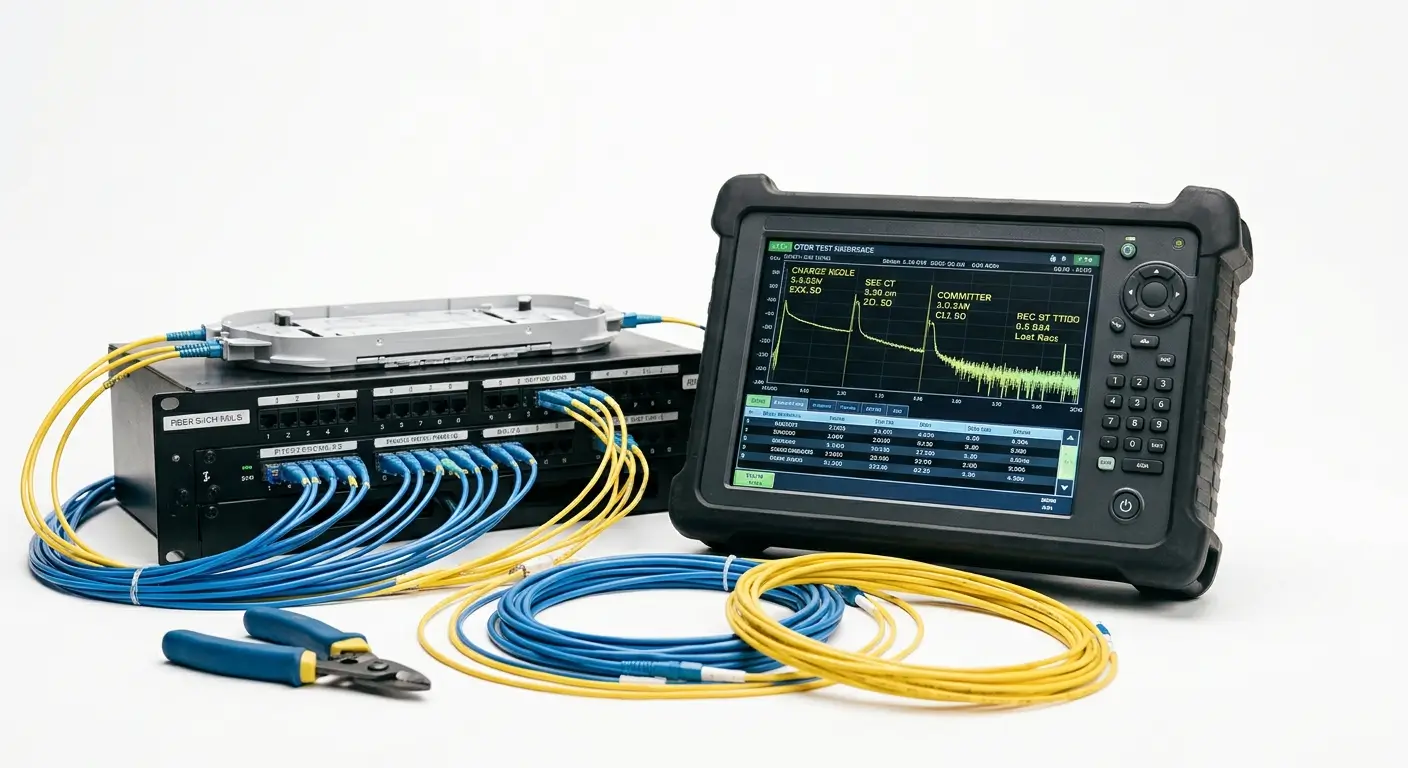
How to Test Fiber with an OTDR: Reading the Trace. A power meter and light source tell you whether a fiber link works. An OTDR (Optical Time Domain Reflectometer) tells you where things happen along it. It maps a link from end to end, locating every splice, connector, bend, and break, and measuring the loss at each point.
That map is only useful if you can read it. This guide walks through the full process: preparing the test, configuring the OTDR, and interpreting what appears on screen.
How an OTDR Works
Fiber with an OTDR sends short pulses of laser light into the fiber and measures what comes back. Two effects return light to the instrument:
- Rayleigh backscatter: Tiny, constant scattering along the glass. It forms the sloping line on the trace and shows the fiber’s attenuation.
- Fresnel reflection: A sharp reflection at any point where the refractive index changes, such as connectors, mechanical splices, or a broken end.
By timing the returning light, the OTDR converts time into distance and plots signal level against length. The result is the trace.
Before You Test: Preparation
Good traces start before the instrument is powered on.
- Clean and inspect every connector. Dirty end-faces are the top cause of bad readings. Use a fiber microscope, then clean.
- Use a launch cable. A launch cable (a spool of known-good fiber) connects the OTDR to the link under test. It lets the instrument settle after the first strong reflection so the first connector can be measured properly.
- Add a receive cable at the far end for the same reason. It allows the last connector to be evaluated rather than lost in the end reflection.
- Check the link is dark. Never connect an OTDR to a fiber carrying live traffic unless you are using a dedicated live-fiber wavelength and filtering.
- Match connector types. Use SC/APC launch cables on APC links and UPC on UPC links. See our guide on SC/UPC vs SC/APC for why mixing them is risky.
Step-by-Step: Running the Test
Choose the Wavelength
Singlemode links are typically tested at 1310 nm and 1550 nm. Testing both matters: 1550 nm is more sensitive to bends, while 1310 nm shows different loss behavior. Comparing them helps separate macrobends from other faults. Multimode links use 850 nm and 1300 nm.
Set the Range
Set the distance range slightly longer than the link, around 1.5 to 2 times its length. Too short and the end of the fiber is cut off. Too long and you waste resolution.
Set the Pulse Width
Pulse width is a trade-off:
- Short pulse (e.g., 10–30 ns): sharp detail and small dead zones, but less reach and more noise
- Long pulse (e.g., 1–20 µs): greater reach and cleaner trace, but events blur together
Use a short pulse for short links with closely spaced connectors, and a longer pulse for long-haul runs. A common workflow is to test once with a long pulse to find the total length, then repeat with a short pulse for detail.
Set Averaging Time
The OTDR averages many pulses to reduce noise. Around 15 to 60 seconds suits most field work. Longer averaging gives a smoother trace and better visibility of small events.
Confirm the Refractive Index
The index of refraction (IOR, or group index) setting converts time to distance. A wrong value gives wrong length and wrong fault locations. Use the value from the cable manufacturer’s datasheet. Typical singlemode fiber falls around 1.466 to 1.468.
Run and Save
Start the acquisition, review the trace, and save it. Always test in both directions for acceptance reports (see below).
Reading the Trace
The horizontal axis is distance. The vertical axis is power level in dB. Read it from left to right.
The Starting Spike
The large reflection at the beginning is the OTDR’s own connector and the launch cable connection. The region just after it is the dead zone, where the receiver is temporarily blinded by the strong reflection. This is why the launch cable exists.
The Sloping Line
A healthy fiber appears as a gently downward-sloping line. The steepness shows attenuation per kilometer. Typical singlemode values are roughly 0.35 dB/km at 1310 nm and 0.20 to 0.25 dB/km at 1550 nm. A steeper-than-expected slope suggests stress, contamination, or poor-quality fiber.
Events: What Each Shape Means
- A spike with a step down (reflective event): A connector or mechanical splice. The spike is the reflection, and the step is the insertion loss.
- A small step down with no spike (non-reflective event): Typically a fusion splice or a bend. Good fusion splices are usually 0.1 dB or less.
- A step that gets larger at 1550 nm than at 1310 nm: Strong sign of a macrobend, where the fiber is bent too tightly.
- A step up (gainer): The trace seems to rise after a splice. This usually happens when two fibers have different backscatter properties, not because the splice adds light. Averaging the A-to-B and B-to-A measurements gives the true loss.
- A spike followed by a sudden drop to noise: The end of the fiber or a break. Compare the distance with the expected link length to tell the difference.
- A spike beyond the real end, repeating at multiples of the distance: A ghost. It is an echo caused by light bouncing between two strong reflections, not a physical event. Reducing the reflection or using index-matching can remove it.
Why Test in Both Directions
A single-direction test can mislead you, particularly with gainers. Bidirectional testing measures the link from each end, then averages the splice and connector results. The averaged value is the accurate figure and is what most acceptance standards require.
Typical Acceptance Thresholds
Specifications vary by project and standard, so always follow the contract. As a general guide for singlemode links:
- Fusion splice: ≤ 0.1 dB is typical, with 0.3 dB often used as a maximum
- Mated connector pair: ≤ 0.5 dB is common, with 0.75 dB as a standard allowance
- Total link loss: calculated from fiber length, splices, and connectors, and compared against the loss budget
If a measurement exceeds the limit, locate the event on the trace, then inspect, clean, or re-terminate that point.
Common OTDR Mistakes to Avoid
- Skipping the launch cable. The first connector then goes unmeasured.
- Using the wrong IOR. Every distance reading is off.
- Testing only one wavelength or one direction. Faults and gainers go undetected.
- Dirty connectors. They produce false loss and extra reflections.
- Pulse width too long on short links. Close events merge into one.
- Ignoring the loss budget. A trace can look clean but still miss the design limit.
OTDR vs Power Meter: Which Do You Need?
They answer different questions. A light source and power meter measures total end-to-end loss, which is the number that matters for system performance. An OTDR shows the location and size of each event, which is what you need for troubleshooting and documentation. Professional installations usually use both.
Quality components make testing easier. Pair well-terminated fiber distribution & termination boxes and low-loss PLC splitters with proper launch cables to keep your traces clean and your link budgets on target.
What is an OTDR used for?
It measures fiber length, attenuation, splice loss, connector loss, and locates faults such as breaks and tight bends.
Why do I need a launch cable?
It lets the OTDR recover from the initial reflection so the first connector on the link can be accurately measured.
What is an OTDR dead zone?
The distance after a strong reflection during which the instrument cannot reliably detect or measure another event. Shorter pulse widths reduce it.
Why does my splice show a gain?
Differences in backscatter between two fibers can make the loss look negative. Bidirectional averaging shows the true value.
Conclusion
An OTDR turns a fiber link into a readable map. Prepare the connectors, use launch and receive cables, set the pulse width and range to suit the link, and test in both directions. Then read the trace left to right: reflections show connectors, small steps show splices and bends, and the final spike marks the end. With practice, a trace becomes a fast and reliable diagnosis tool.